Crisp at any size you choose
SVG is resolution-independent, so the rendered PNG stays sharp whether you ask for 200 px or 4000 px.
Convert SVG to PNG online with secure cloud processing. Choose a width and render vectors as a transparent PNG for sharing. Free to start; no software needed.
Drop files here or click to upload
SVG· up to 20.0 MB per file
Files are private and deleted after conversion
Anonymous files: 20 MB. Free accounts: 50 MB and batches of 5. Paid accounts: 200 MB and batches of 100.
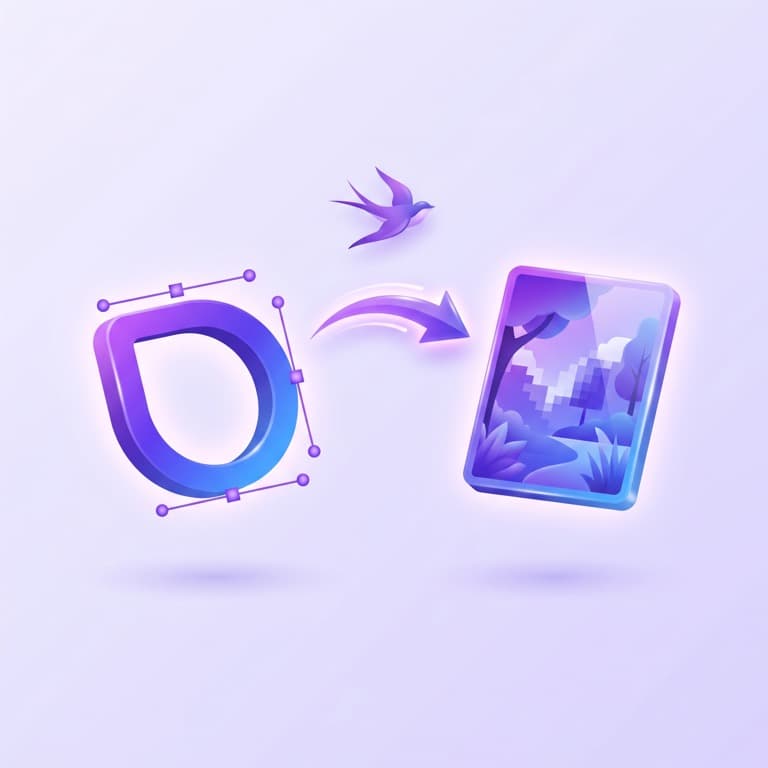
Convert SVG to PNG online with secure cloud processing. Choose a width and render vectors as a transparent PNG for sharing. Free to start; no software needed.
SVG is resolution-independent, so the rendered PNG stays sharp whether you ask for 200 px or 4000 px.
Scripts and external references are stripped before rendering, uploads travel over HTTPS, and files are deleted within 24 hours.
Anonymous visitors get 1 free server conversion to test the result.
A free account raises your limit from 1 to 3 conversions and lifts the file-size cap from 20 MB to 50 MB.
Drag in your vector file or click to browse. It is sent to our server over an encrypted HTTPS connection.
Before rendering, the server strips scripts and references to external resources — a security step that cannot be turned off.
Enter the pixel width you need — height scales proportionally — or leave it empty to render at the SVG's own intrinsic size.
Because SVG is resolution-independent, the vector paths render crisply at whatever width you chose.
Both the uploaded SVG and the rendered PNG are deleted from our servers automatically within 24 hours.
Choose settings that match the result you need.
↔ Swipe sideways to view every column.
| Need | Recommended setting | Best for |
|---|---|---|
| Output width (px) | SVG is resolution-independent, so pick the exact pixel width you need — height scales proportionally. Leave it empty (or 0) to render at the SVG's intrinsic size; for icons or print, values like 1024 or 2048 give crisp results. | SVG is resolution-independent, so pick the exact pixel width you need — height scales proportionally. Leave it empty (or 0) to render at the SVG's intrinsic size; for icons or print, values like 1024 or 2048 give crisp results. |
| Automatic sanitization | Before rendering, the SVG is sanitized on our servers: scripts and references to external resources are removed. This is a security measure and cannot be turned off. | Before rendering, the SVG is sanitized on our servers: scripts and references to external resources are removed. This is a security measure and cannot be turned off. |
Review what the tool accepts, how it processes the file, and what it produces.
↔ Swipe sideways to view every column.
| Feature | SVG | PNG |
|---|---|---|
| Format | SVG | PNG |
| Processing | Secure cloud processing | Secure cloud processing |
| Result | Convert SVG to PNG online with secure cloud processing. Choose a width and render vectors as a transparent PNG for sharing. Free to start; no software needed. | Convert SVG to PNG online with secure cloud processing. Choose a width and render vectors as a transparent PNG for sharing. Free to start; no software needed. |
The output is ready for common workflows supported by its format.
SVG (Scalable Vector Graphics) is an XML-based vector format maintained by the W3C, used for logos, icons, charts, and illustrations. Instead of storing pixels it describes shapes, paths, and text, so an SVG stays perfectly sharp at any size.
For simple graphics SVG files are tiny, editable in any text editor, and styleable with CSS. It is not suited to photographs, and because SVG can embed scripts, files from untrusted sources should be sanitized before being displayed inline. When a fixed-size bitmap is required — for app stores, email, or older software — rasterize the SVG to PNG.
PNG is a lossless raster image format created in the mid-1990s as a patent-free replacement for GIF. It is the standard choice for screenshots, logos, UI graphics, and any image that needs transparency.
PNG preserves every pixel exactly and supports a full 8-bit alpha channel, so text and sharp edges stay crisp. The downside is size: photographs saved as PNG are far larger than the same image as JPG or WebP. Support is universal in browsers and editors, making it a safe default for graphics — just avoid it for large photo collections.
This tool uses secure cloud processing for formats or operations browsers cannot handle reliably.
61,000 votes
Convert SVG to PNG online with secure cloud processing. Choose a width and render vectors as a transparent PNG for sharing. Free to start; no software needed.
SVG to PNG ConverterWe use cookies for analytics and ads. Accept to allow full measurement and personalized ads, or reject to keep storage disabled. Privacy Policy