Tool alternatives
3 Unlimited Convertio Alternatives for Image Conversion
Convertio is a good broad converter. But if credits, queues, or a universal-file interface slow down a simple image job, I would rather choose the tool by the next destination: upload form, web page, JPG delivery, or PDF submission.
01
Why people look for Convertio alternatives
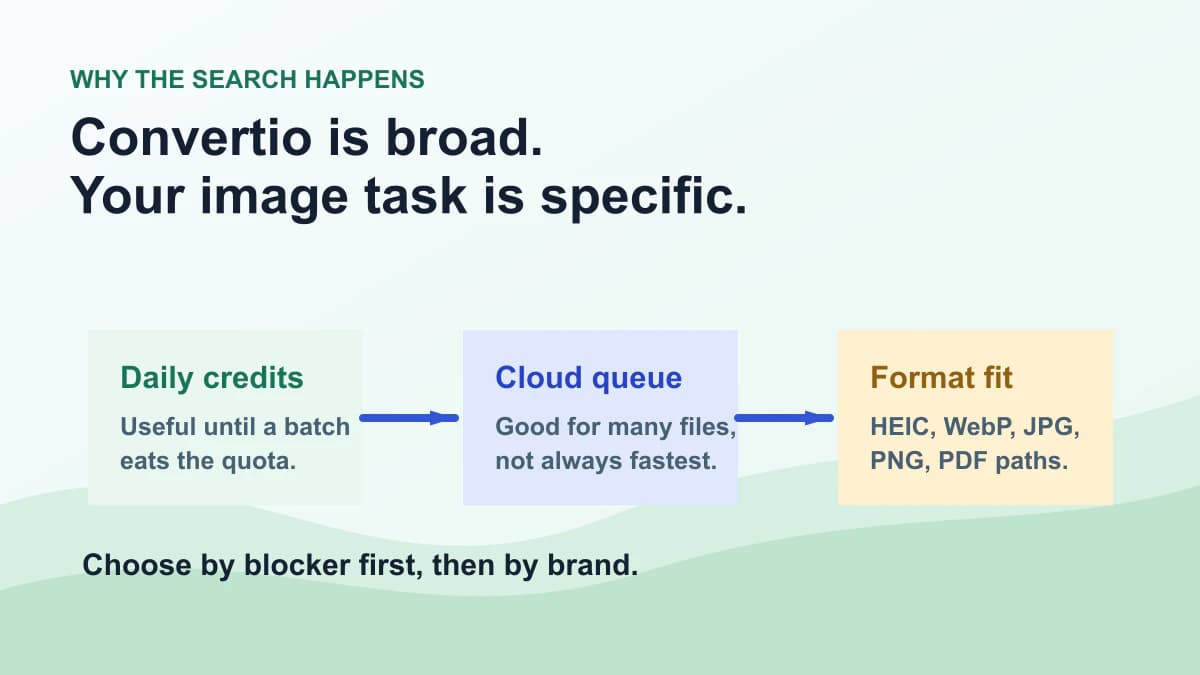
If you search “Convertio alternative,” you probably do not need a generic explanation of file conversion. Something practical happened: a daily limit appeared, several files waited in a queue, or a universal converter felt too heavy for one image task.
Convertio is not a bad tool. Its help center says free users can convert files up to 100 MB, convert 10 files in the last 24 hours, and run 2 conversions at the same time. Those are reasonable public limits for a broad web converter.
The search demand starts when those limits meet image work. A folder of product photos, a batch of iPhone HEIC files, a WebP upload rejection, or a set of images that must become PDF needs a workflow decision, not another list of every possible file extension.
- The batch is larger than the remaining free daily conversions.
- The task is image conversion plus compression, not every-file conversion.
- You want the output chosen by destination: form, web page, email, or document.
02
Quick picks: the 3 unlimited alternatives
I am using “unlimited” the way searchers usually mean it: not trapped by the exact bottleneck that made you look for an alternative. It does not mean every service has no practical limit. Browser memory, cloud pricing, file size caps, and fair-use rules still exist.
My short list is Photo Converter, CloudConvert, and Zamzar. They are not the same product with different logos. Photo Converter is image-first, CloudConvert is automation-first, and Zamzar is a broad paid web converter.
| Tool | Best when | Main trade-off |
|---|---|---|
| Photo Converter | You need JPG, PNG, WebP, HEIC, compression, or PDF delivery in one image workflow | Not a full replacement for every document, video, or archive format |
| CloudConvert | You need API, storage integrations, and paid automation across many file types | The free plan starts at 10 conversion credits per day |
| Zamzar | You want a familiar broad converter and paid web plans for frequent jobs | Free web use is limited to 50 MB and 2 files per 24 hours |
03
1. Photo Converter: best for image-only jobs
I would not tell you Photo Converter replaces Convertio for spreadsheets, archives, audio, or video. That would be self-serving and not useful. I put it first only when the job is clearly image conversion.
The advantage is focus. If the next step says “upload JPG,” “make this PNG lighter,” “send these images as PDF,” or “this site rejects WebP,” you do not need a giant format catalog. You need a quick image output that opens correctly where it is going.
Yes, this article can bring us traffic. We need traffic because real websites have real costs, and people have children and older family members to support. But traffic only makes sense if the recommendation helps the reader finish the task.
| Image problem | Better move | Tool |
|---|---|---|
| iPhone photo will not upload | Export a real JPG copy | HEIC to JPG |
| PNG makes the page heavy | Convert to WebP or compress first | PNG to WebP / Compress image |
| WebP is rejected by a form | Make a JPG delivery copy | WebP to JPG |
| Several images need order | Combine them into one PDF | Images to PDF |
Useful links
- ToolConvert HEIC to JPGBest when an iPhone photo is rejected by upload forms.
- ToolConvert PNG to WebPUse it when the destination is a website and the CMS accepts WebP.
- ToolConvert WebP to JPGUse it when a platform still refuses WebP uploads.
- ToolCompress image filesUse compression when the format is already accepted but the file is too large.
04
2. CloudConvert: best for API and automation
CloudConvert is the alternative I would choose when the job is bigger than a browser session. If you need an API, cloud storage imports, scheduled processing, or conversions across many non-image formats, it is closer to infrastructure than a simple upload tool.
Its pricing page says the free plan starts with 10 conversion credits per day. The same page explains credits by conversion time, while paid packages and subscriptions list higher or unlimited operational limits depending on the plan.
That makes CloudConvert strong for developers and teams, but it may feel heavier than necessary for a person trying to turn one HEIC into JPG. For that person, a focused image converter is often faster.
05
3. Zamzar: best for broad paid web conversion
Zamzar is the option I would consider when the file type is unusual and the user wants a familiar web converter rather than a developer API. It has been around for a long time, and the interface is easy to understand.
The free web service has tighter limits. Zamzar help says free users can convert files up to 50 MB and convert 2 files in any 24-hour period. Its paid plans are the path for heavier web use.
For image-only work, I still prefer a tool that exposes image decisions clearly: JPG compatibility, WebP delivery, PNG transparency, compression, and PDF output. Zamzar is broader; Photo Converter is more direct for that lane.
06
A safer image conversion workflow
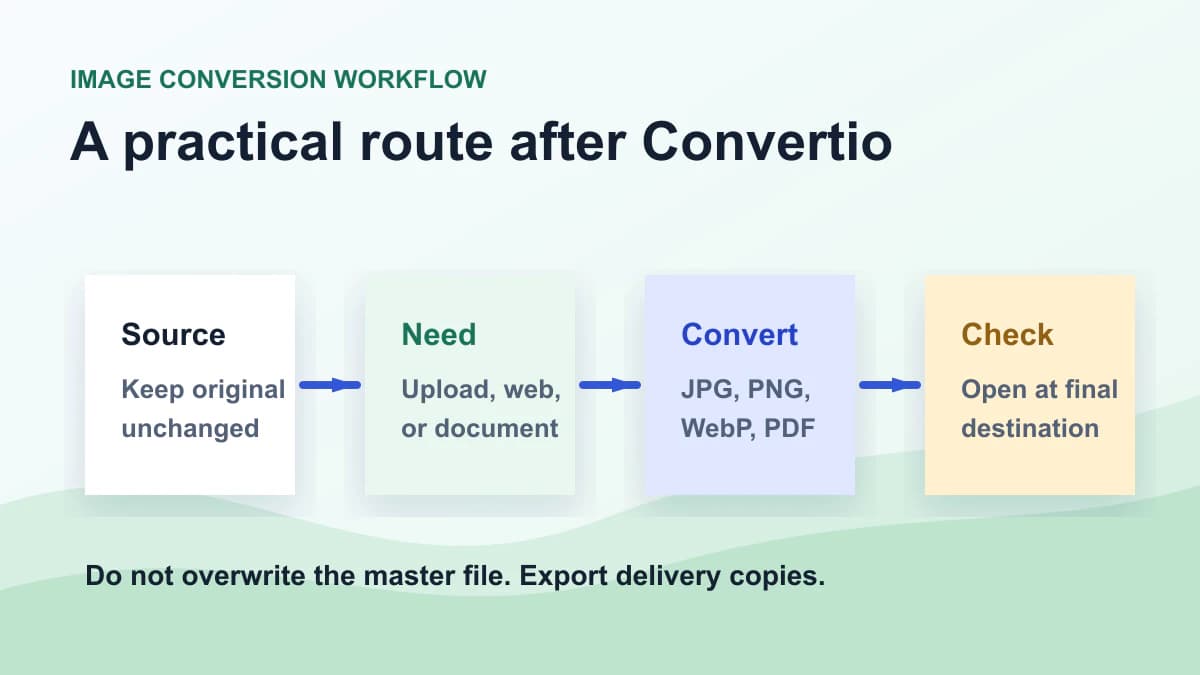
My practical rule is simple: source first, destination second, conversion third. Do not convert because a tool lists a format. Convert because the next system needs that output.
If the receiver is a form, JPG is usually the safest photo copy. If the receiver is a web page, reduce dimensions and use WebP when supported. If the receiver wants ordered pages, make a PDF. If the receiver rejects WebP, send JPG.
Keep the original file. Convert a delivery copy, open it once in the final destination if possible, and only then clean up temporary versions. This habit matters more than which converter brand you started with.
07
My honest recommendation
Use Convertio when its free limits are enough and you need a broad converter for many file categories. There is no need to replace a tool that already solves the job.
Use Photo Converter when the job is clearly about image formats, image compression, HEIC compatibility, WebP delivery, JPG uploads, or PDF submission. Use CloudConvert when you need API automation. Use Zamzar when you want a broad web converter and are comfortable with its paid path for volume.
That is the honest version of a Convertio alternatives article. It should earn the click by solving the limitation that made you search, not by pretending every competitor is bad.
FAQ
FAQ
- Is Convertio still worth using?
- Yes. Convertio is still useful when you need broad file conversion and its free or paid limits fit your job. I would not replace it just for the sake of replacing it.
- What does unlimited mean here?
- It means alternatives that are not trapped by the specific bottleneck that pushed you away from Convertio, such as daily free conversions, concurrency, or image workflow friction. It does not mean every practical or paid limit disappears.
- Is Photo Converter a full Convertio replacement?
- No. Photo Converter is not a universal converter for every file type. It is better when the job is image formats, image compression, HEIC to JPG, WebP to JPG, PNG to WebP, or images to PDF.
- What is the best Convertio alternative for HEIC to JPG?
- Photo Converter is the better fit for this specific task because HEIC upload failure is an image compatibility problem, not a broad file conversion problem.
- Which Convertio alternative is best for API automation?
- CloudConvert is usually the stronger pick for API automation, storage integrations, and conversion pipelines across many file categories.
- How does Zamzar compare with Convertio?
- Zamzar is also a broad web converter. I would consider it for unusual file types or paid web conversion volume, but its free service has tighter daily and file size limits.
- Why do daily conversions and concurrency matter?
- They matter when conversion is part of work, not a one-off. A product photo batch, client handoff, or document submission can hit daily and simultaneous conversion limits quickly.
- Is this article just using Convertio for traffic?
- We do want search traffic, but the recommendation has to be useful. That is why the article still recommends Convertio when it fits, CloudConvert for API work, Zamzar for broad paid web conversion, and Photo Converter for focused image tasks.
 Image ConverterUse our Image Converter to change JPG, PNG, WebP, AVIF, GIF, BMP or TIFF files online. Choose JPG, PNG, WebP, AVIF or GIF output in seconds—no signup.
 HEIC to JPG ConverterUse this HEIC to JPG converter for HEIC and HEIF photos. Adjust quality, keep photos upright, remove location metadata, and download shareable JPG files.
 PNG to WebP ConverterUse our PNG to WebP converter to create smaller website images in your browser. Adjust quality, preserve transparency, and download privately with no signup.