Tool alternatives
3 Unlimited TinyPNG Alternatives for Image Compression
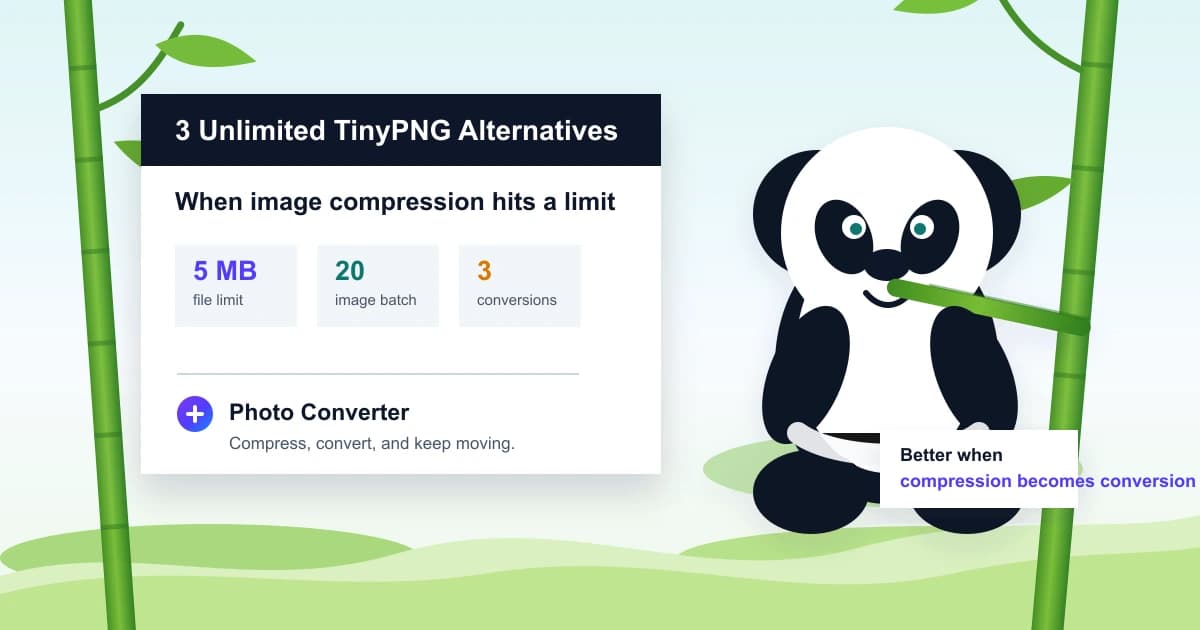
TinyPNG is still good. But when its 5 MB file limit, 20-image batch limit, or 3 free conversions get in the way, I would rather recommend tools that solve the actual blocker.
01
Why people look for a TinyPNG alternative
If you searched “TinyPNG alternative,” you are probably not looking for a lecture about compression algorithms. You have a file, a batch, or a format problem that TinyPNG did not clear fast enough.
TinyPNG is still a useful compressor. Its own homepage says free users can upload up to 20 images at once, each up to 5 MB, and can freely convert up to 3 images. It also says uploaded images are retained for a maximum of 48 hours before deletion.
Those limits are reasonable for a web optimizer, but they explain the search demand. If you have a 9 MB product PNG, a folder of 60 screenshots, a HEIC photo that needs JPG, or a WebP file rejected by a form, you need an alternative workflow, not another paragraph saying “PNG files can be large.”
- The file is bigger than TinyPNG’s free web upload limit.
- The batch is larger than the free 20-image web drop zone.
- The task is format conversion, not only compression.
02
Quick picks: the 3 unlimited alternatives
By unlimited, I mean tools that are not boxed into the exact TinyPNG free web limits that usually trigger this search. Device memory, browser performance, desktop hardware, and each product’s advanced features still create practical boundaries.
My short list is Photo Converter, Squoosh, and ImageOptim. They do not replace TinyPNG in the same way. They solve different blockers, which is exactly the point of an alternative article.
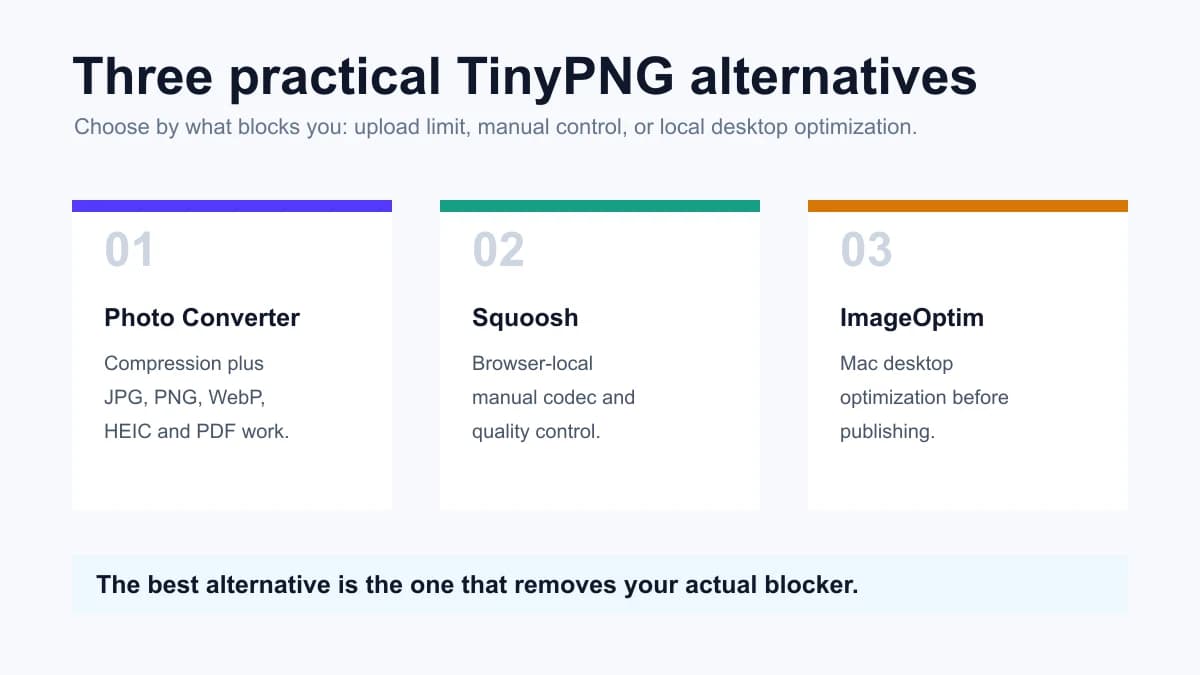
| Tool | Best when | Main trade-off |
|---|---|---|
| Photo Converter | You need compression plus JPG, PNG, WebP, HEIC or PDF conversion | Not a full CDN/API replacement for TinyPNG |
| Squoosh | You want browser-local codec control and visual comparison | Manual workflow; not the fastest batch tool |
| ImageOptim | You are on Mac and want local drag-and-drop optimization | Mac desktop app; not an online format workflow |
03
1. Photo Converter: best when compression turns into conversion
Photo Converter is the tool I would recommend first when TinyPNG feels too narrow. Not because TinyPNG is bad, but because many real image tasks are not pure compression tasks.
A store owner may need PNG to WebP for page speed, then WebP to JPG because a marketplace rejects WebP. A parent may need HEIC to JPG for a school form. A freelancer may need several images turned into one PDF. TinyPNG is not designed around that full path.
Yes, this is our own site. We need traffic too; real people maintain the product, pay servers, raise children, and support older family members. That is exactly why I do not want cheap traffic from a bad recommendation. If Photo Converter is not the best fit, I will say so.
- Use it when you need compression plus format conversion.
- Use it when HEIC, WebP, PNG, JPG, or PDF is the blocker.
- Use browser-local tools when you want the file to stay on your device for basic edits.
Useful links
- ToolCompress images with Photo ConverterCompress JPG, PNG, and WebP when the format can stay the same.
- ToolConvert images between formatsUse this when the platform wants a different file type, not just a smaller file.
- ToolConvert HEIC to JPGA practical alternative path when iPhone photos are rejected by forms.
04
2. Squoosh: best for local manual compression
Squoosh is the alternative I like when someone wants to see exactly what compression is doing. It runs in the browser and lets you compare codecs and quality settings visually.
That control is also its limitation. Squoosh is excellent for one image, a designer export, or a developer tuning WebP and AVIF quality. It is less convenient when a non-technical user just wants to drop many files and get predictable output.
05
3. ImageOptim: best for Mac desktop publishing
ImageOptim is the TinyPNG alternative I would give to a Mac user who wants local drag-and-drop optimization before publishing images. It is free and open source, and its official page emphasizes faster pages, smaller files, and metadata cleanup.
The trade-off is obvious: it is a Mac desktop app, not an online converter. If you work on Windows, phone, Chromebook, or a shared computer, Photo Converter or Squoosh is easier to reach.
06
Compression is not the same as conversion
This is where many TinyPNG alternative lists become shallow. They treat every tool as an image compressor. In practice, the problem often changes halfway through the workflow.
Compression asks: can I keep this format and make the file smaller? Conversion asks: does the next platform need a different format? If the answer is conversion, a compressor-only tool will keep feeling frustrating no matter how good it is.
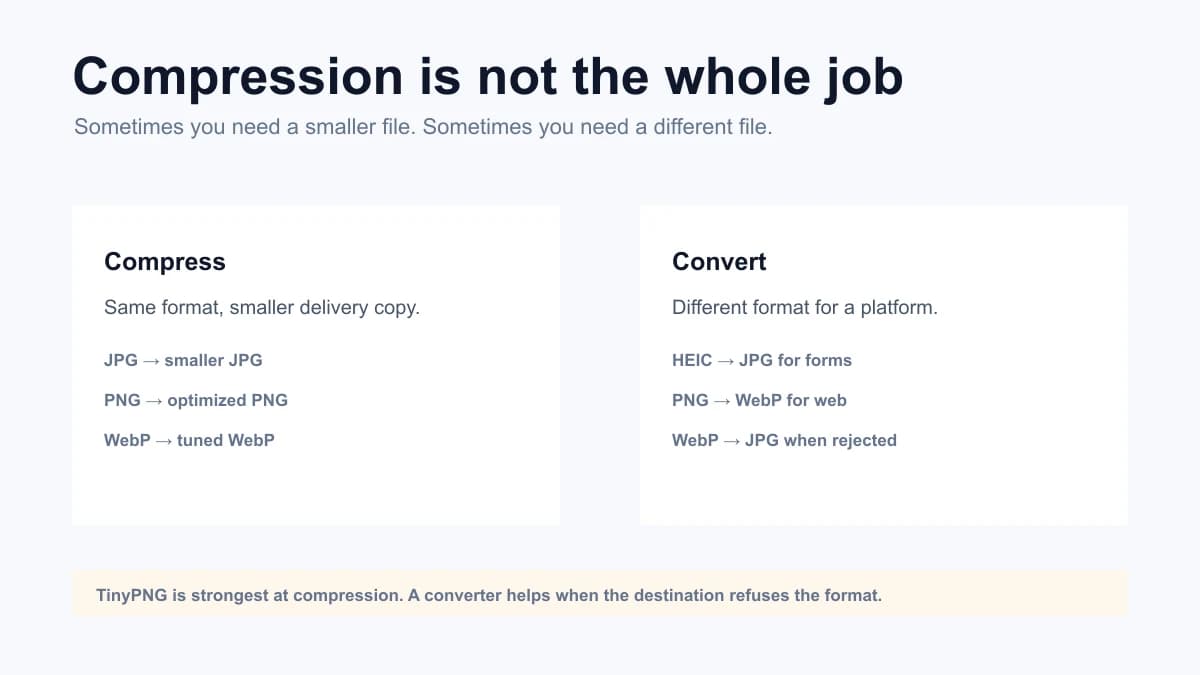
| Blocker | Better move | Tool to try |
|---|---|---|
| PNG is too large for a page | Convert to WebP or compress the PNG | PNG to WebP / Compress PNG |
| WebP is rejected by a form | Convert a delivery copy to JPG | WebP to JPG |
| iPhone HEIC will not upload | Export a real JPG copy | HEIC to JPG |
07
My honest recommendation
Use TinyPNG when you want a polished web compression product, especially if you need its API, CDN, WordPress plugin, or Figma plugin. It is strong in that world.
Use Photo Converter when TinyPNG’s limits or compression-first design is not the real answer. If you need a single place for image compression, HEIC to JPG, PNG to WebP, WebP to JPG, JPG compression, and PDF delivery, our tool is the more practical recommendation.
That is not “not caring about traffic.” We do care. But the only traffic worth building is traffic from people who leave with a useful result, not people tricked by a title.
FAQ
FAQ
- Is TinyPNG still worth using?
- Yes. TinyPNG is still a strong image compression product, especially for website optimization, API, CDN, WordPress, and Figma workflows.
- What does unlimited mean in this article?
- It means alternatives that are not locked into TinyPNG’s free 5 MB upload, 20-image batch, or 3-conversion web limits. Practical limits such as browser memory, device speed, and advanced cloud features can still apply.
- Is Photo Converter a full TinyPNG replacement?
- No. If you need TinyPNG’s API, CDN, WordPress plugin, or Figma plugin, TinyPNG may still be the better tool. Photo Converter is better when you need direct compression and format conversion in one web workflow.
- Which TinyPNG alternative is best for HEIC to JPG?
- Photo Converter is the better fit because HEIC compatibility is a conversion problem, not only a compression problem.
- Which alternative is best for local image compression?
- Squoosh is strong for browser-local manual compression and ImageOptim is strong for Mac desktop optimization. Choose based on whether you want browser control or a Mac app.
- Does Photo Converter upload every image?
- No. Basic browser-local tools can run on your device. Higher-cost cloud conversions, large files, batch jobs, ZIP downloads, and special formats may use server processing.
- Is this article just using TinyPNG for traffic?
- We do want search traffic, but the recommendation has to be useful. That is why the article still recommends TinyPNG for API, CDN, WordPress, and Figma workflows, while recommending Photo Converter for direct compression and conversion tasks.
 Compress ImageCompress image files online while keeping JPG, PNG or WebP output. Choose quality, compare file sizes, and download privately. Free to start, no signup.
 Image ConverterUse our Image Converter to change JPG, PNG, WebP, AVIF, GIF, BMP or TIFF files online. Choose JPG, PNG, WebP, AVIF or GIF output in seconds—no signup.
 PNG to WebP ConverterUse our PNG to WebP converter to create smaller website images in your browser. Adjust quality, preserve transparency, and download privately with no signup.